
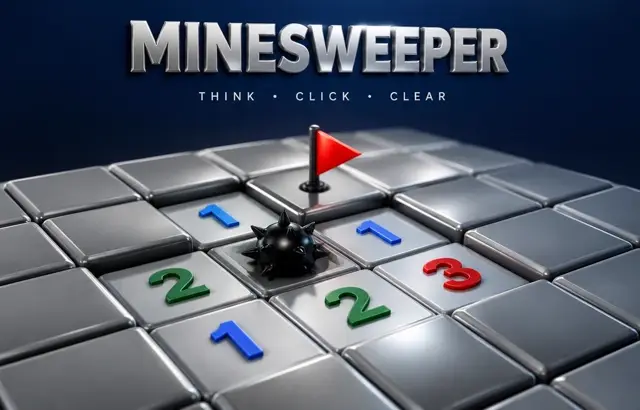
Minesweeper
Sound
Short game sounds play only after you interact. Volume zero mutes sound immediately.
Play Minesweeper free online in your browser. No download or sign-up required.
How to play
Reveal every square that is not a mine. Numbers show how many mines touch that square. Flag squares you think hide mines.
Playing this version
Reveal a square or switch to Flag mode to mark it; mouse right-click also toggles flags. The first reveal is safe. Flags are deductions, not automatic proof.
A useful example
A revealed 1 with exactly one still-hidden neighbour identifies a mine only after accounting for all its other neighbours. If that mine is correctly flagged, the remaining neighbours are safe. Reveal every non-mine square to win; touching a mine loses. Some later positions require a guess.
Progress saves in this browser when local storage is available. Clearing site data removes saves.
Tips
- A 1 touching only one hidden square means that square is a mine.
- Once a number's mines are all flagged, its other neighbours are safe.
- Start in the corners and along the edges, where patterns are easiest.
Common mistakes
- Treating a flag as proof; a mistaken flag makes nearby numbers read wrongly.
- Guessing in one area while a certain deduction is still available elsewhere on the board.
Questions players ask
- How do you play Minesweeper?
- Reveal squares without touching a mine. Each number tells you how many mines touch that square, including diagonals. Use the numbers to flag mines and reveal every safe square to win.
- What board sizes are there?
- Beginner is 9×9 with 10 mines, Intermediate 16×16 with 40 mines and Expert 30×16 with 99 mines. Your first reveal is always safe.
- Do you ever have to guess?
- Sometimes. Most positions can be solved from the numbers, but occasionally two squares are equally likely. When that happens, guess where a safe reveal gives the most new information.
More logic puzzles


Bookmark this game
Computer: press Ctrl+D (Windows/Linux) or ⌘+D (Mac), or click the star in the address bar.
iPhone/iPad (Safari): tap the Share button, then “Add Bookmark”.
Android (Chrome): tap the ⋮ menu, then the star.
Add to Home Screen
iPhone/iPad (Safari): tap Share, then “Add to Home Screen”.
Android (Chrome): tap the ⋮ menu, then “Add to Home screen”.
It's optional — the games work the same in your browser.