
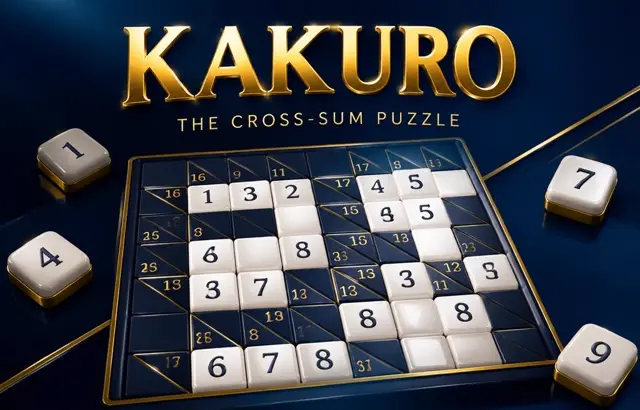
Kakuro
Sound
Short game sounds play only after you interact. Volume zero mutes sound immediately.
Play Kakuro free online in your browser. No download or sign-up required.
How to play
Fill each white square with a digit from 1 to 9. Each across or down run of white squares must add up to the clue in the dark square before it (top-right number for across, bottom-left for down), and no digit may repeat within a run. Every puzzle has exactly one solution; a few digits may be shown to guarantee it.
Playing this version
Choose a white square and enter 1–9 with the pad or keyboard. Arrow keys move through white cells; Backspace, Delete or 0 erases. Across clues are top-right and down clues bottom-left.
A useful example
A two-cell across run of 4 allows {1,3}. If its crossing down run is two cells totaling 3, that crossing must be 1, leaving 3 across and 2 down. Do not repeat a digit within either run. All sums must be satisfied; there is no loss timer.
Progress saves in this browser when local storage is available. Clearing site data removes saves.
Tips
- Learn the fixed sums: 3 in two cells is always 1+2.
- Where two runs cross, the square must fit both.
- Large clues in short runs force high digits.
Common mistakes
- Repeating a digit within one run — each run uses distinct digits.
- Solving across runs alone without checking the crossing down clue.
Questions players ask
- What is Kakuro?
- A number crossword, also known as Cross Sums. Each run of white squares must add up to the clue before it, using digits 1 to 9 with no repeats in the run.
- How do you start a Kakuro puzzle?
- Look for runs with only one possible set of digits: 3 in two squares is always 1 and 2, and 17 in two squares is always 8 and 9. Then use the crossing runs to decide the order.
- Is Kakuro harder than Sudoku?
- It needs a little arithmetic as well as logic, but small grids are friendly. Easy uses a 6×6 grid, Medium 8×8 and Hard 10×10, and each puzzle has one solution.
More logic puzzles



Bookmark this game
Computer: press Ctrl+D (Windows/Linux) or ⌘+D (Mac), or click the star in the address bar.
iPhone/iPad (Safari): tap the Share button, then “Add Bookmark”.
Android (Chrome): tap the ⋮ menu, then the star.
Add to Home Screen
iPhone/iPad (Safari): tap Share, then “Add to Home Screen”.
Android (Chrome): tap the ⋮ menu, then “Add to Home screen”.
It's optional — the games work the same in your browser.