
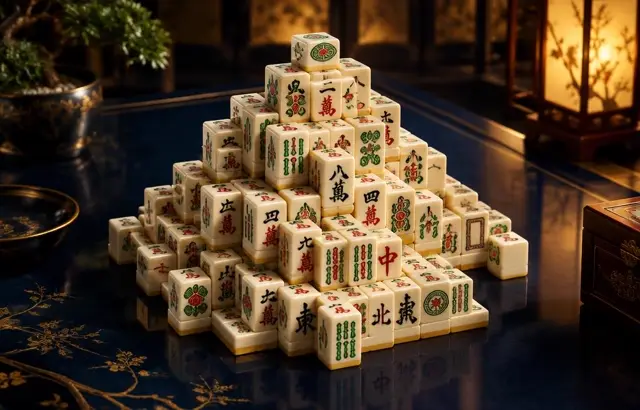
Mahjong Solitaire
Sound
Short game sounds play only after you interact. Volume zero mutes sound immediately.
Play Mahjong Solitaire free online in your browser. No download or sign-up required.
How to play
Remove matching pairs of identical tiles. A tile is free when no tile sits on top of it and its left or right side is open; only free tiles can be picked. Clear every tile to win. Every deal can be solved. Undo, Hint and a few Shuffles help when you get stuck.
Playing this version
Choose two identical free tiles. A tile must be uncovered with at least one horizontal side open. Hint identifies a possible pair; Undo and the remaining Shuffles can rescue a choice.
A useful example
Two identical tiles are not enough if one is covered. When several copies are free, favour the pair that exposes a higher stack rather than one leaving it blocked. Clear all tiles to win; no pair and no shuffle remaining ends the layout.
Progress saves in this browser when local storage is available. Clearing site data removes saves.
Tips
- A tile is free when nothing covers it and its left or right side is open.
- Clear the tall stacks and the ends of long rows first.
- When all four tiles of a kind are free, remove them as two pairs.
Common mistakes
- Matching a pair that leaves the other two tiles of that kind trapped under the same stack.
- Choosing a tile whose left and right sides are both blocked — it is not free.
Questions players ask
- How do you play Mahjong Solitaire?
- Remove pairs of identical tiles until the layout is clear. You can only pick a free tile: nothing on top of it and its left or right side open. It is also spelled Mahjongg Solitaire.
- Is Mahjong Solitaire the same as Mahjong?
- No. Traditional Mahjong is a four-player game of building hands. Mahjong Solitaire uses the same tiles for a one-player matching puzzle.
- Can every game be won?
- Every deal on this site can be solved, but an early choice can still block you. Use Hint to find a pair, Undo to take back a move, or a Shuffle: Easy and Medium have three, Hard has two.
More matching games

Bookmark this game
Computer: press Ctrl+D (Windows/Linux) or ⌘+D (Mac), or click the star in the address bar.
iPhone/iPad (Safari): tap the Share button, then “Add Bookmark”.
Android (Chrome): tap the ⋮ menu, then the star.
Add to Home Screen
iPhone/iPad (Safari): tap Share, then “Add to Home Screen”.
Android (Chrome): tap the ⋮ menu, then “Add to Home screen”.
It's optional — the games work the same in your browser.