
Memory Match
Sound
Short game sounds play only after you interact. Volume zero mutes sound immediately.
Play Memory Match free online in your browser. No download or sign-up required.
How to play
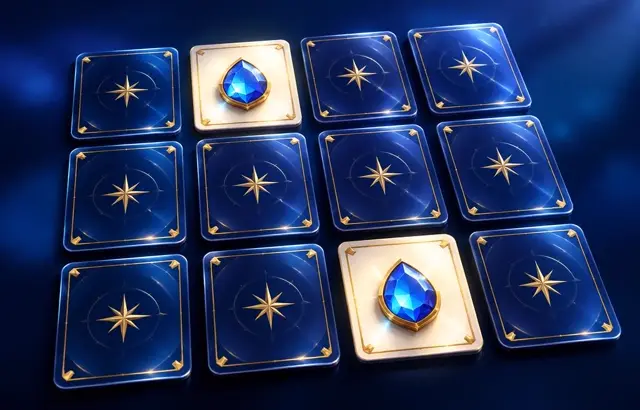
Turn over two cards each turn. If the pictures match, they stay face up; if not, they turn back over. Remember where each picture is and find every pair in as few turns as you can.
Playing this version
Turn over two face-down cards. Wait for a mismatch to turn back before choosing another pair. Matching cards remain revealed.
A useful example
When you find a second apple, match it with the remembered apple before exploring another location. A turn is a pair of flips, not each individual flip. All pairs matched wins; a higher turn count does not cause a loss.
Progress saves in this browser when local storage is available. Clearing site data removes saves.
Tips
- Flip the same few areas until you've learned them.
- Say a card's picture to yourself to help remember where it is.
- Make the match you know before you explore new cards.
Common mistakes
- Flipping new cards at random instead of revisiting positions you have already seen.
- Not matching a remembered card immediately when its partner turns up.
Questions players ask
- How do you play Memory Match?
- Turn over two cards each turn. If they match, they stay face up; if not, they turn back. Find every pair in as few turns as you can.
- How many cards are there?
- Easy has 6 pairs, Medium 8 pairs and Hard 12 pairs.
- How can I improve my memory score?
- Work through the board in a fixed order, say each picture to yourself as it appears, and always make a match you already know before exploring new cards.
More matching games

Bookmark this game
Computer: press Ctrl+D (Windows/Linux) or ⌘+D (Mac), or click the star in the address bar.
iPhone/iPad (Safari): tap the Share button, then “Add Bookmark”.
Android (Chrome): tap the ⋮ menu, then the star.
Add to Home Screen
iPhone/iPad (Safari): tap Share, then “Add to Home Screen”.
Android (Chrome): tap the ⋮ menu, then “Add to Home screen”.
It's optional — the games work the same in your browser.