
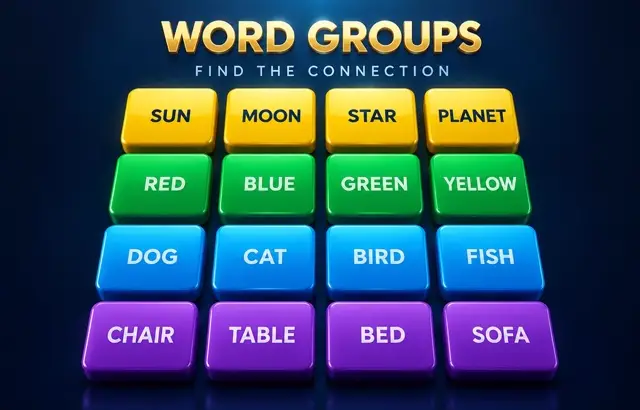
Word Groups
Sound
Short game sounds play only after you interact. Volume zero mutes sound immediately.
Play Word Groups free online in your browser. No download or sign-up required.
How to play
Sixteen words hide four groups of four that share something — a category, a hidden word or a common partner word. Select four words and submit. Correct groups lock in; you can make four mistakes. Watch out for words that seem to fit more than one group.
Playing this version
Choose four words and submit them together. Deselect to revise a choice and Shuffle to change the arrangement. Correct sets lock in.
A useful example
BASS can mean a fish or a singing voice: test it against all sixteen words, not only the first category you see. One away means three selected words belong together. Repeating an already rejected set does not spend another mistake; four distinct wrong attempts end play.
Progress saves in this browser when local storage is available. Clearing site data removes saves.
Tips
- Look for the most specific link first.
- Watch for words that seem to fit two groups.
- Four mistakes end the game, so check before you submit.
Common mistakes
- Submitting the first four words that share a theme when one of them also fits another group.
- Spending guesses early; four mistakes end the game.
Questions players ask
- How do you play Word Groups?
- Sixteen words hide four groups of four that share a connection. Select four words you think belong together and submit them. Correct groups lock in; four mistakes end the puzzle.
- What kinds of connections are used?
- Categories (types of fish), hidden words, and words that pair with a common partner word are all possible. Many puzzles include red herrings that seem to fit two groups.
- How many puzzles are there?
- The main page has a set of 20 original puzzles to play at your own pace, and the daily page offers a puzzle that changes every day at midnight UTC.
More word games



Bookmark this game
Computer: press Ctrl+D (Windows/Linux) or ⌘+D (Mac), or click the star in the address bar.
iPhone/iPad (Safari): tap the Share button, then “Add Bookmark”.
Android (Chrome): tap the ⋮ menu, then the star.
Add to Home Screen
iPhone/iPad (Safari): tap Share, then “Add to Home Screen”.
Android (Chrome): tap the ⋮ menu, then “Add to Home screen”.
It's optional — the games work the same in your browser.