
Word Connect
Sound
Short game sounds play only after you interact. Volume zero mutes sound immediately.
Play Word Connect free online in your browser. No download or sign-up required.
How to play
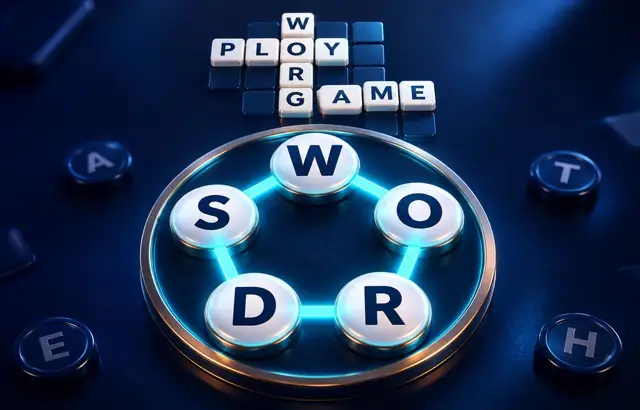
Spell words by joining letters on the wheel — each letter tile can be used once per word, and words need at least three letters. Every word you find fills its row of blanks. Find all of the listed words to complete the puzzle; other real words count as bonus words. Use Shuffle to see the letters differently, or Hint to reveal a letter.
Playing this version
Select wheel letters in order or type and submit a word. Each tile can be used once per word. Shuffle changes their order; Hint reveals a target letter.
A useful example
If the wheel contains two Es, a word can use both, but cannot reuse a single E tile twice. Words need at least three letters. A valid bonus word does not fill an unrelated target row: finish every listed target to complete the puzzle.
Progress saves in this browser when local storage is available. Clearing site data removes saves.
Tips
- Find the short words first; they show which letters to use.
- The longest target uses every letter on the wheel.
- Shuffle the wheel to see new letter patterns.
Common mistakes
- Reusing one wheel tile twice in the same word.
- Hunting the longest word first instead of short words that confirm letters.
Questions players ask
- How do you play Word Connect?
- Join letters on the wheel to spell words of three or more letters. Each listed word you find fills its row of blanks; find every listed word to complete the puzzle.
- Can I use a letter twice?
- Only if it appears twice on the wheel. Each letter tile can be used once per word.
- What are bonus words?
- Real words you spell that are not in the puzzle's list count as bonus words. They are recorded but do not fill a target row.
More word games


Bookmark this game
Computer: press Ctrl+D (Windows/Linux) or ⌘+D (Mac), or click the star in the address bar.
iPhone/iPad (Safari): tap the Share button, then “Add Bookmark”.
Android (Chrome): tap the ⋮ menu, then the star.
Add to Home Screen
iPhone/iPad (Safari): tap Share, then “Add to Home Screen”.
Android (Chrome): tap the ⋮ menu, then “Add to Home screen”.
It's optional — the games work the same in your browser.